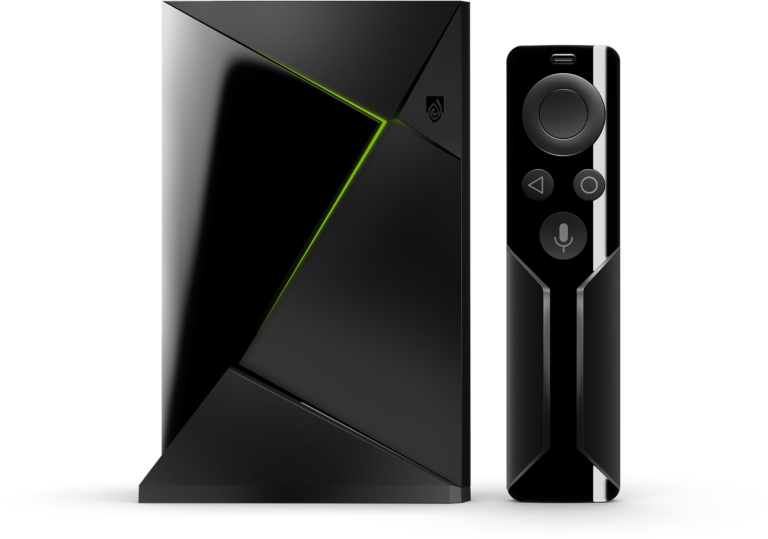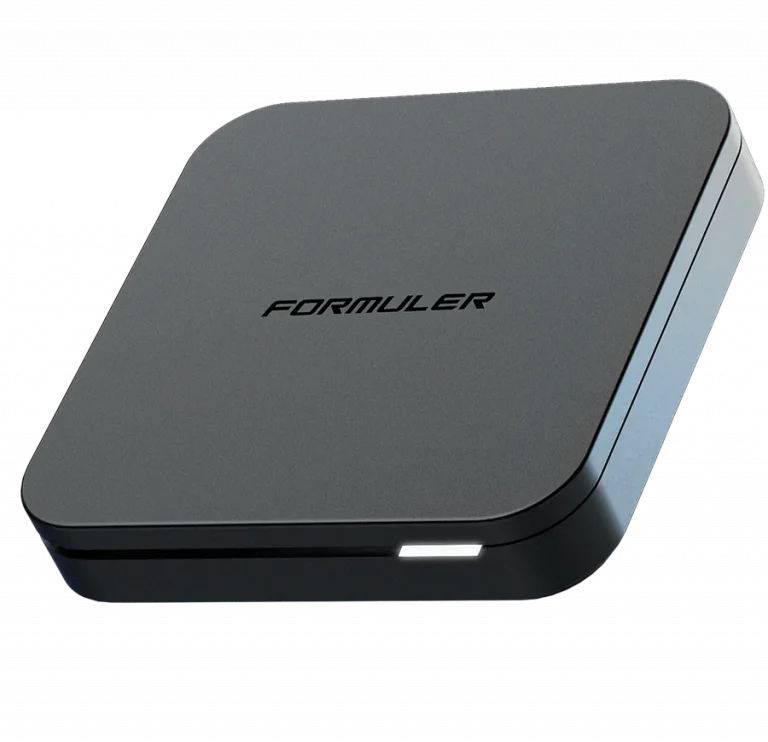

Formuler devices are purpose-built for IPTV — arguably the best dedicated IPTV hardware on the market today. With a powerful processor, built-in WiFi, and the exclusive MyTV Online 2 app pre-installed, your Formuler device is designed from the ground up to deliver the ultimate Trendyscreen streaming experience.
🟣 Important Note About Formuler
Formuler devices run a customized version of Android specifically optimized for IPTV. Unlike standard Android TV boxes, Formuler comes with MyTV Online 2 — its own dedicated IPTV portal app — pre-installed and ready to use straight out of the box. No sideloading required.
🟣 Compatible Formuler Models
| Model | Resolution | Best For |
|---|---|---|
| Formuler Z8 | 4K Ultra HD | Premium streaming |
| Formuler Z8 Pro | 4K Ultra HD | Heavy VOD & multi-screen |
| Formuler Z10 Pro Max | 4K HDR | Top-tier performance |
| Formuler CC | 4K Ultra HD | Compact everyday use |
| Formuler Z Alpha | Full HD 1080p | Entry level IPTV |
✅ All Formuler models are fully compatible with Trendyscreen.
🟣 Method 1: MyTV Online 2 — The Recommended Way
Best for: All Formuler users — this is the dedicated IPTV app built specifically for Formuler devices and perfectly optimized for Trendyscreen.
Step 1: Open MyTV Online 2
- Power on your Formuler device
- On the home screen locate and open MyTV Online 2
- If this is your first time opening it you will be prompted to set up a playlist — select “Add New Playlist”
Step 2: Connect to Trendyscreen
- Select “Xtream Codes API” as your connection type
- Enter your Trendyscreen credentials from your welcome email:
- Service Nickname:
Trendyscreen - Username: (See your email)
- Password: (See your email)
- Server URL: (See your email)
- Service Nickname:
- Tap “Add” or “Confirm”
- MyTV Online 2 will automatically load your full Trendyscreen channel list, VOD library, series, and EPG TV guide
✅ Once loaded you will have instant access to all 80,000+ Trendyscreen live channels and 100,000+ VOD titles directly from the MyTV Online 2 interface.
Step 3: Navigating Trendyscreen on MyTV Online 2
📡 Live TV
All 80,000+ channels organized by category — Sports, News, Entertainment, International, Kids, PPV, and more. Use the built-in search to find any channel instantly.
🎬 Movies & Series
Full access to the Trendyscreen VOD library — 100,000+ titles organized by genre, language, and release year. Bookmarks save your progress automatically.
📺 EPG TV Guide
A complete Electronic Program Guide showing current and upcoming programming across all channels. Navigate forward up to 7 days to plan your viewing.
⭐ Favourites & Recently Watched
Mark your most-watched channels as favourites and pick up right where you left off with the recently watched feature.
🟣 Method 2: TiviMate — The Advanced Way
Best for: Formuler users who want the most feature-rich IPTV interface with advanced multi-screen viewing and built-in DVR recording.
Step 1: Install TiviMate
- On your Formuler home screen open the Google Play Store
- Search “TiviMate IPTV Player” and install
Step 2: Connect to Trendyscreen
- Open TiviMate and select “Add Playlist”
- Select “Xtream Codes API”
- Enter your Trendyscreen credentials from your welcome email:
- Any Name:
Trendyscreen - Username: (See your email)
- Password: (See your email)
- Server URL: (See your email)
- Any Name:
- Tap “Next” to load your full Trendyscreen channel list, VOD, and EPG automatically
🟣 Comparison: Formuler Setup Methods
| Feature | MyTV Online 2 | TiviMate |
|---|---|---|
| Pre-Installed | ✓ Yes | ✗ Requires Install |
| Interface | Formuler Native Style | Professional Cable Style |
| 4K HDR Support | ✓ Full Support | ✓ Full Support |
| Multi-Screen | Standard | ⚡ Advanced (Up to 4) |
| EPG TV Guide | ✓ Full 7-Day EPG | ✓ Advanced EPG |
| DVR Recording | ✗ Not Available | ✓ Built-In |
| VOD & Series | ✓ Organized Sections | ✓ Advanced Management |
| Zapping Speed | Fast | Ultra-Fast |
| Setup Ease | Very Simple | Intermediate |
| Cost | Free | Free + Premium Unlock |
| Best For | Most Formuler users | Power users & recorders |
🟣 Pro Tips for Formuler Streaming
📡 Use Wired Ethernet
All Formuler devices have a built-in ethernet port. For the most stable Trendyscreen experience — especially during live sports, PPV events, and 4K HDR streams — plug directly into your router with an ethernet cable.
🎬 Enable Hardware Decoding
In your IPTV app settings turn on “Hardware Decoding” to let the Formuler’s dedicated processor handle high-bitrate 4K video. This keeps streams smooth and prevents overheating during long viewing sessions.
🔒 Use a VPN App
Download NordVPN or ExpressVPN directly from the Google Play Store on your Formuler. Keep it active during major live events and PPV to prevent ISP throttling and keep your Trendyscreen streams at full speed.
🔄 Update EPG Daily
In MyTV Online 2 or TiviMate go to settings and set EPG to “Auto Update Daily” — this keeps your TV guide accurate and refreshed with the latest Trendyscreen programming schedule.
📺 Set Correct Time Zone
Go to Settings > Date & Time on your Formuler and set your local time zone. This ensures your EPG guide displays the correct programming times for your region.
🔁 Refresh Playlist After Renewal
After renewing your Trendyscreen subscription go to your IPTV app settings and select “Refresh Playlist” to sync your account and restore full channel access instantly.
🟣 Troubleshooting Common Formuler Issues
| Problem | Solution |
|---|---|
| MyTV Online 2 not loading | Restart Formuler and check internet connection |
| Channels not appearing | Re-enter credentials and refresh playlist |
| EPG not showing | Go to settings and manually trigger EPG update |
| Buffering on 4K streams | Switch to wired ethernet and enable hardware decoding |
| Black screen on channels | Clear app cache and restart Formuler |
| Login credentials rejected | Double check username, password, and server URL — no extra spaces |
| App crashing | Uninstall, restart Formuler, reinstall from Play Store |
🆘 Need Assistance?
Formuler devices are built for IPTV but every setup is different. If you run into any issue at any step our support team is available 24/7 to get you sorted fast and professionally.
👉 Contact Trendyscreen Support: vonwik.io/contact