
🚀 How to Set Up Your WorthyStream Subscription on NVIDIA Shield TV
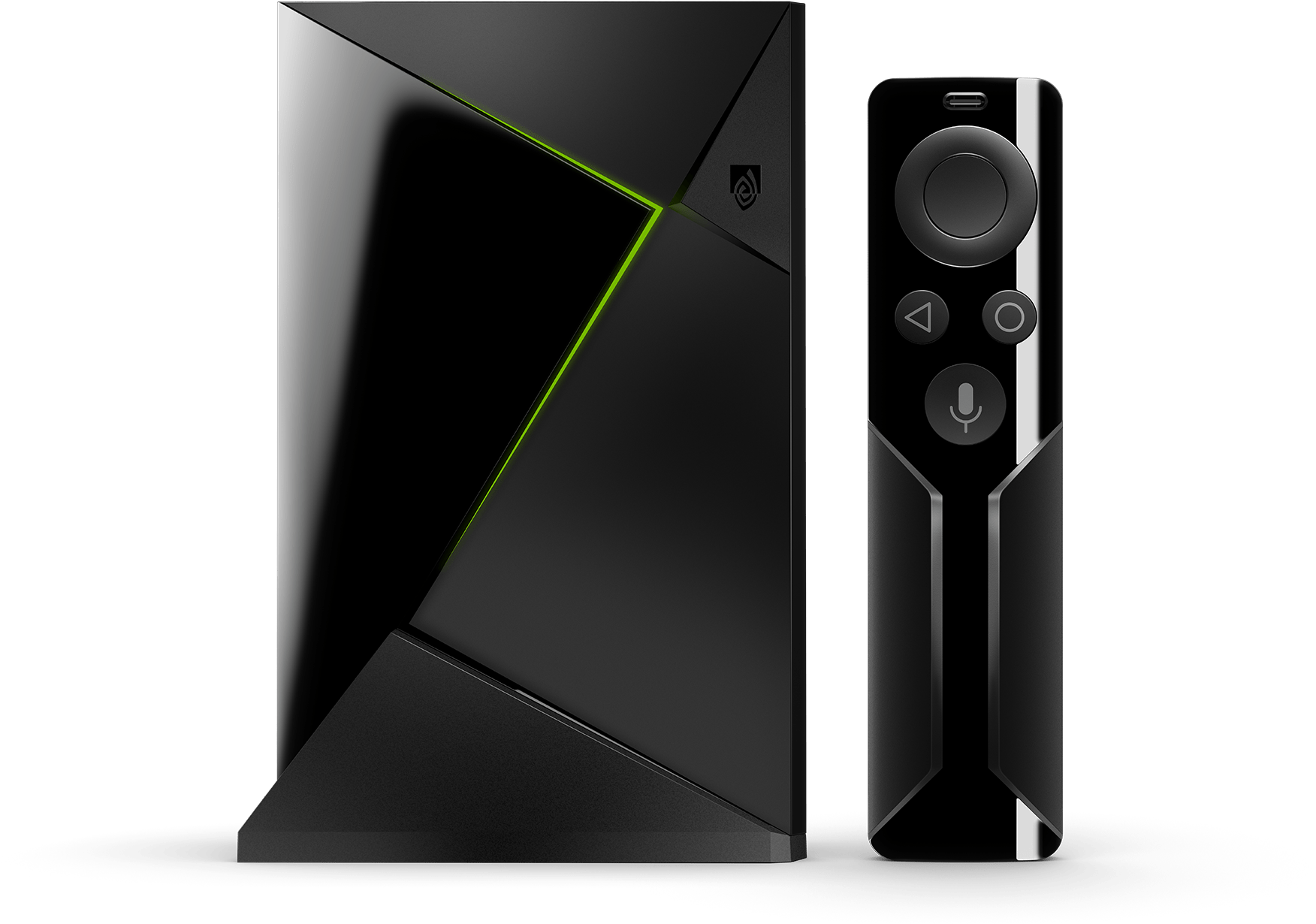
The Nvidia Shield is the most powerful Android TV streaming device on the market — and one of the best platforms for Trendyscreen. With a dedicated GPU, full 4K HDR support, and direct access to the Google Play Store, your Trendyscreen subscription runs flawlessly with zero compromise on quality.
🟣 Step 1: Choose Your Nvidia Shield Player
Option A: TiviMate — The Premium Experience
Available directly from the Google Play Store. Search “TiviMate IPTV Player” and install.
- Best for: Users who want the ultimate cable-TV style interface with ultra-fast channel switching, multi-screen viewing, and advanced recording — perfectly optimized for the Shield’s powerful hardware.
Option B: IPTV Smarters Pro — The Free Way
Available directly from the Google Play Store. Search “IPTV Smarters Pro” and install.
- Best for: Users who want a clean, straightforward setup with full VOD library access and EPG support — no cost, no complications.
🟣 Step 2: Connecting to Trendyscreen
For TiviMate:
- Open TiviMate and tap “Add Playlist.”
- Select “Xtream Codes API”
- Enter your Trendyscreen credentials from your welcome email:
- Any Name:
Trendyscreen - Username: (See your email)
- Password: (See your email)
- Server URL: (See your email)
- Any Name:
- Tap “Next,” and TiviMate will load your full Trendyscreen channel list, VOD library, and EPG guide automatically
For IPTV Smarters Pro:
- Open the app and select “Login with Xtream Codes API.”
- Enter your Trendyscreen credentials from your welcome email:
- Any Name:
Trendyscreen - Username: (See your email)
- Password: (See your email)
- Server URL: (See your email)
- Any Name:
- Tap “Add User,” and your full Trendyscreen channel list loads instantly
🟣 Comparison: Nvidia Shield Player Options
| Feature | TiviMate | IPTV Smarters Pro |
|---|---|---|
| Download Source | Google Play Store | Google Play Store |
| Interface | Professional / Cable Style | Modern & Clean |
| 4K HDR Support | ✓ Full Support | ✓ Full Support |
| Multi-Screen | ⚡ Advanced (Up to 4) | Standard |
| Zapping Speed | Ultra-Fast | Fast |
| EPG TV Guide | ✓ Advanced EPG | ✓ Included |
| Recording Feature | ✓ Built-In DVR | ✗ Not Available |
| Setup Ease | Intermediate | Very Simple |
| Cost | Free + Premium Unlock | Free |
🟣 Pro Tips for Nvidia Shield Streaming
🎮 Enable Hardware Decoding
The Nvidia Shield’s dedicated GPU is built for high-bitrate 4K video. In your IPTV app settings, make sure “Hardware Decoding” is turned on — this unlocks the Shield’s full power and keeps every Trendyscreen stream silky smooth even at maximum quality.
📡 Use Wired Ethernet
The Nvidia Shield has a built-in ethernet port — use it. A direct wired connection to your router delivers the most stable and fastest Trendyscreen experience, especially during live sports, PPV events, and 4K HDR streams.
🔒 Use a VPN App
Download NordVPN or ExpressVPN directly from the Google Play Store on your Shield. Keep it active during major live events to prevent ISP throttling and keep your Trendyscreen streams running at full speed.
📺 Dolby Vision & HDR
The Nvidia Shield Pro supports Dolby Vision and HDR10. In your Shield display settings, enable “Auto Low Latency Mode” and “HDR” for the most cinematic Trendyscreen viewing experience possible.
🔄 Clear App Cache Weekly
Go to Settings > Apps > Your IPTV App > Clear Cache once a week to keep channel loading fast and the EPG guide refreshed with the latest Trendyscreen schedule data.
🎙️ Use Google Assistant
The Nvidia Shield remote has a built-in Google Assistant button. Use it to search for specific Trendyscreen channels or VOD titles hands-free — just say “Open TiviMate” or search by channel name directly.
🟣 Troubleshooting Common Nvidia Shield Issues
| Problem | Solution |
|---|---|
| App not loading | Force stop the app, clear cache, and reopen |
| Buffering on 4K | Force stop the app, clear the cache, and reopen |
| EPG not updating | Go to app settings and manually refresh the EPG |
| Login credentials rejected | Double-check username, password, and server URL from your welcome email — no extra spaces |
| Channels showing a black screen | Try a different category first — if widespread contact Trendyscreen support |
| App crashing on Shield | Uninstall, restart Shield, reinstall from Play Store |
🆘 Need Assistance?
Our support team is available 24/7 for any Nvidia Shield setup questions. Whether it’s a login issue, app recommendation, or playback problem — we’ve got you covered.
👉 Contact Trendyscreen Support: vonwik.io/contact